Tools for a better support day.
Everything you need to connect, troubleshoot, and help people move forward.
Powerful remote access for everyone
Whether you're an individual, an IT professional or a growing business, RDesk gives you a fast, secure and reliable way to access and manage your computers.
Instant Access
Connect to your device in seconds from any modern browser.
End-to-End Security
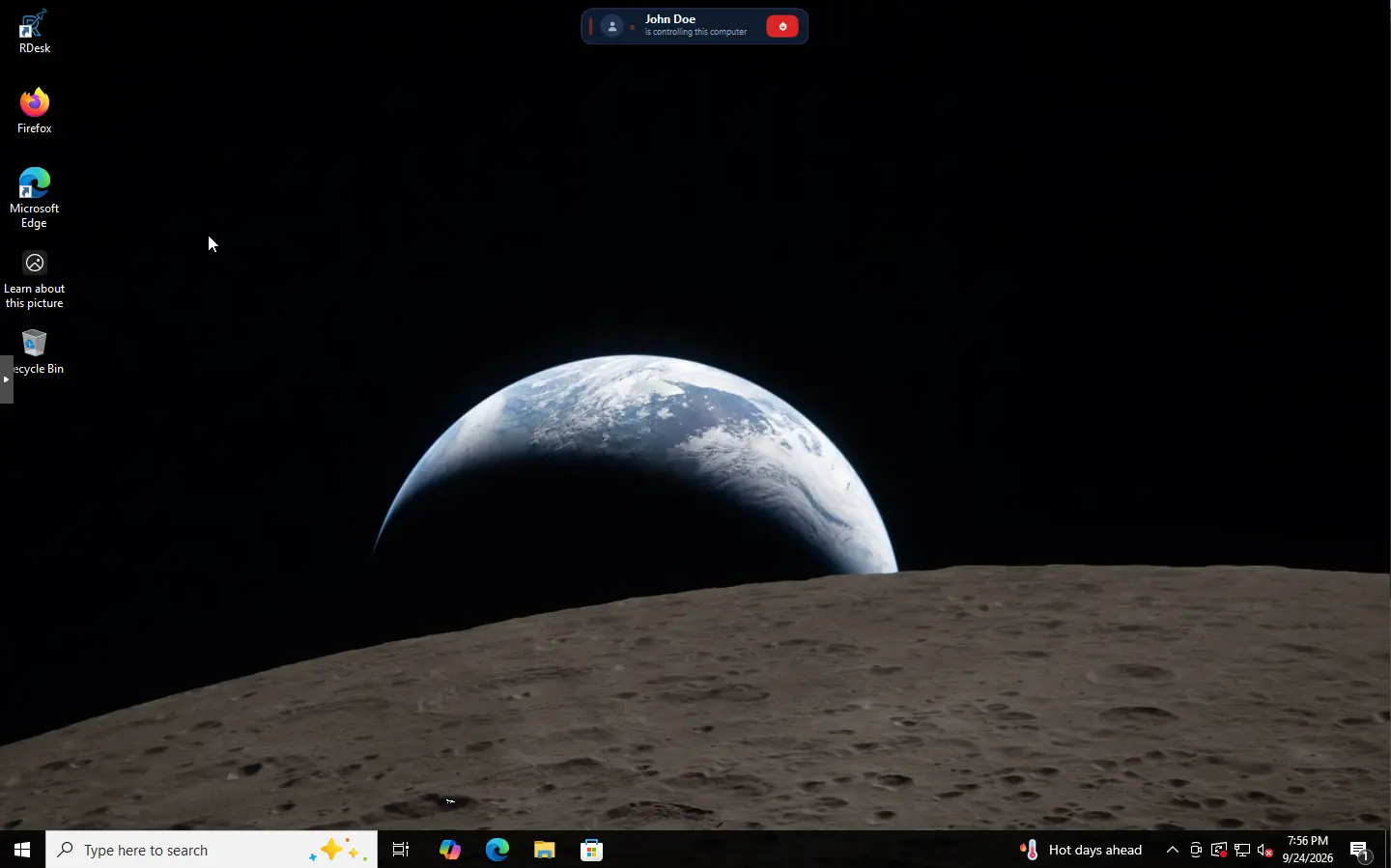
Your connection is encrypted and kept private. The remote user approves every session.
No Viewer Required
Access directly from your browser. Nothing to install on the supporting side.
BDIX Relay
Relay servers inside Bangladesh on BDIX for faster, smoother local sessions.
File Transfer
Easily send and receive files between devices — behind its own separate consent.
Multi-Monitor Support
View and switch between multiple monitors seamlessly.
Built for real-world needs
RDesk is flexible enough for personal use and powerful enough for teams and businesses.
IT Support
Help users and solve issues remotely.
Remote Work
Access your office computer from anywhere.
Education
Assist students and colleagues with ease.
Businesses
Manage devices securely at scale.
 RDesk
An alternative to AnyDesk, TeamViewer and RustDesk
RDesk is remote desktop software in the same category — attended and unattended remote support — built around the user’s consent and a viewer that runs in the browser.
Servers in Bangladesh
Relay servers on BDIX keep local sessions fast, with monthly plans for every team size.
Consent is built in
The person at the machine always sees who is connecting, approves it, and can end the session from an always-visible banner.
Nothing to install to view
The technician works in a browser tab. Only the supported machine runs an agent.
Compare in detail: RDesk as a TeamViewer alternative · RDesk as an AnyDesk alternative
Your next connection starts here.
Get the agent for the device you want to support.